For Mac
Screen Recorder for Mac.
Screen Recorder, Screen Capture
Simple screen recording, designed around the way you use your Mac.
Record your screen with system audio or microphone, choose the settings you need, and save your recordings where you want.
Menu Bar Quick Start
Start recording without switching back to the main app.
Presets
Start quickly with recommended settings or choose your own.
Recording Controls
Choose audio, video quality, format and save location.
Control Panel
Set up your recording in moments.
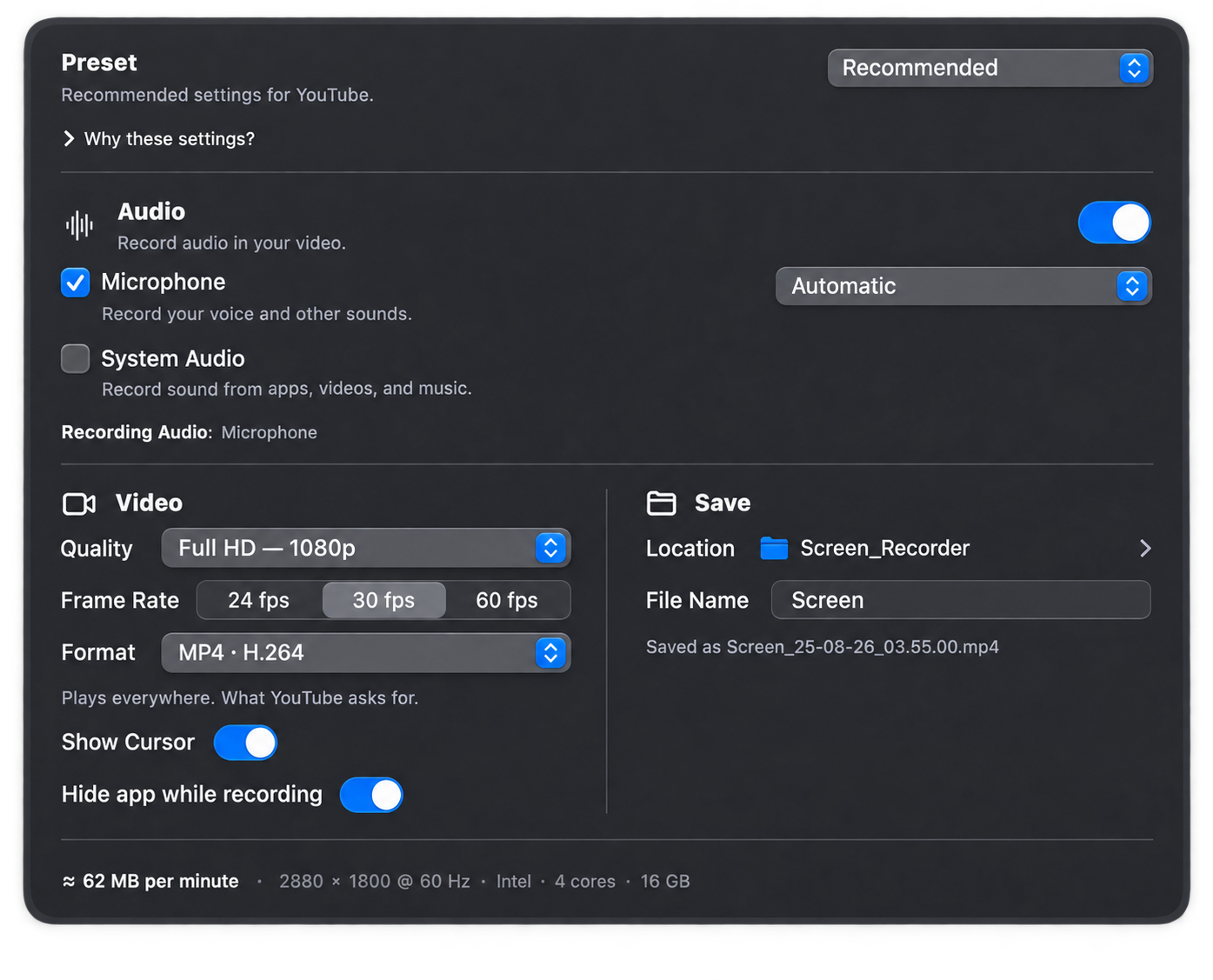
The main controls stay together in one clear panel, so you can review your setup before you start recording.
Choose a preset
Start with Recommended settings or choose a preset for YouTube, high quality, smaller files, or your own setup.
Adjust audio and video
Choose your audio source, quality, frame rate, format, cursor visibility, and recording behavior.
Choose where to save
Select a destination and file name before recording, so your files stay organized from the start.
Review and record
See the important settings at a glance, then start recording when everything looks right.
Privacy
Data Not Collected.
Screen Recorder is listed on the App Store with Data Not Collected. The developer does not collect your personal data or access your recordings.
Privacy Policy
Accessibility
Designed to be easier to use for more people.
Screen Recorder supports accessibility features built into macOS to help make recording more comfortable and approachable.